Theme: Use a custom workbook theme
An example of setting the default theme for a workbook to a user supplied custom
theme using the rust_xlsxwriter library. This example uses an Excel .thmx
file but it can also be an .xlsx file or a theme xml file extracted from an
Excel xlsx file.
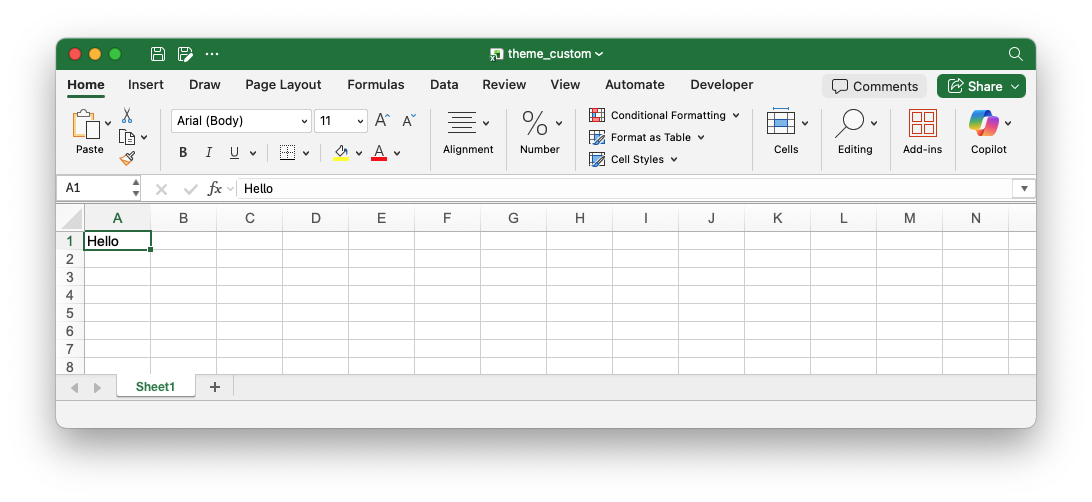
Note that the default font has changed to "Arial (body) 11".
Image of the output file:
Code to generate the output file:
// SPDX-License-Identifier: MIT OR Apache-2.0
//
// Copyright 2022-2026, John McNamara, jmcnamara@cpan.org

//! Example of setting the default theme for a workbook to a user supplied
//! custom theme using the `rust_xlsxwriter` library. This example uses an Excel
//! `.thmx` file but it can also be an `.xlsx` file or a theme xml file
//! extracted from an Excel xlsx file.

use rust_xlsxwriter::{FontScheme, Format, Workbook, XlsxError};

fn main() -> Result<(), XlsxError> {
    let mut workbook = Workbook::new();

    // Add a custom theme to the workbook.
    workbook.use_custom_theme("tests/input/themes/Technic.thmx")?;

    // Create a new default format to match the custom theme. Note, that the
    // scheme is set to "Body" to indicate that the font is part of the theme.
    let format = Format::new()
        .set_font_name("Arial")
        .set_font_size(11)
        .set_font_scheme(FontScheme::Body);

    // Add the default format for the workbook.
    workbook.set_default_format(&format, 19, 72)?;

    // Add a worksheet to the workbook.
    let worksheet = workbook.add_worksheet();

    // Write some text to demonstrate the changed theme.
    worksheet.write(0, 0, "Hello")?;

    // Save the workbook to disk.
    workbook.save("theme_custom.xlsx")?;

    Ok(())
}